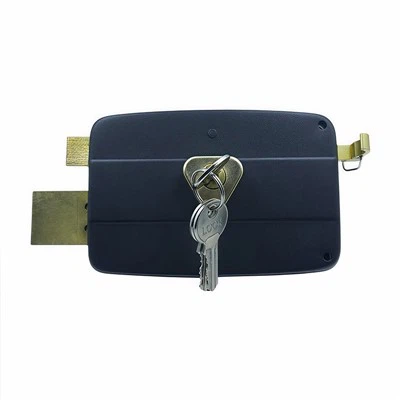
Programming a new user code on a push pad door lock is a practical skill that enhances security and convenience for both residential and commercial properties. As a leading supplier of push pad door locks, I'm here to guide you through the process step by step.
Understanding Push Pad Door Locks
Push pad door locks are a popular choice due to their ease of use and advanced security features. They eliminate the need for traditional keys, which can be lost or stolen. Instead, users enter a unique code on the keypad to unlock the door. Our range of push pad door locks includes Push Lock, Round Door Lock, and Hotel Locks, each designed to meet different security needs and aesthetic preferences.


Preparing for Programming
Before you start programming a new user code, it's essential to gather the necessary tools and information. You'll typically need a working knowledge of the lock's programming instructions, which are usually provided in the user manual. Additionally, make sure the lock is properly installed and powered. Most push pad door locks operate on batteries, so check the battery level to ensure smooth operation.
Step-by-Step Programming Guide
Step 1: Access the Programming Mode
The first step in programming a new user code is to access the lock's programming mode. This process varies depending on the model of your push pad door lock. In many cases, you'll need to enter a master code or use a specific key combination. Refer to your lock's user manual for the exact instructions. Once you've entered the programming mode, the lock will typically emit a beep or display a light to indicate that it's ready to receive new codes.
Step 2: Select the Code Type
Push pad door locks often offer different types of codes, such as user codes, master codes, and temporary codes. User codes are for regular access, while master codes provide administrative privileges. Temporary codes can be used for guests or service providers for a limited time. Decide which type of code you want to program and follow the instructions in the user manual to select the appropriate option.
Step 3: Enter the New Code
After selecting the code type, it's time to enter the new user code. Choose a code that is easy for the user to remember but difficult for others to guess. Avoid using obvious combinations like birthdays or sequential numbers. Enter the code on the keypad slowly and carefully. The lock will usually prompt you to confirm the code by entering it again. Make sure the confirmation code matches the original code to ensure successful programming.
Step 4: Save the Code
Once you've entered and confirmed the new user code, you need to save it. This is typically done by pressing a specific button or key combination on the keypad. The lock will emit a beep or display a light to indicate that the code has been saved successfully. Some locks may also provide a visual confirmation on the display screen.
Step 5: Test the New Code
After saving the new user code, it's important to test it to ensure that it works correctly. Exit the programming mode and try unlocking the door using the new code. If the lock unlocks smoothly, the programming process was successful. If not, double-check the code and repeat the programming steps if necessary.
Troubleshooting Common Issues
Sometimes, you may encounter issues during the programming process. Here are some common problems and their solutions:
- Code Not Accepted: If the lock doesn't accept the new code, make sure you're entering it correctly. Check for any typos or errors in the code. If the problem persists, try resetting the lock to its factory settings and repeating the programming process.
- Lock Not Responding: If the lock doesn't respond when you enter the programming mode or the new code, check the battery level. Low batteries can cause the lock to malfunction. Replace the batteries with fresh ones and try again.
- Error Messages: Some push pad door locks display error messages on the screen. Refer to the user manual to understand the meaning of the error message and follow the recommended solutions.
Best Practices for Push Pad Door Lock Security
In addition to programming new user codes, there are several best practices you can follow to enhance the security of your push pad door lock:
- Change Codes Regularly: Periodically change the user codes to prevent unauthorized access. This is especially important if a user leaves the property or if you suspect that a code has been compromised.
- Use Complex Codes: As mentioned earlier, choose complex codes that are difficult to guess. Avoid using common combinations or patterns.
- Keep the Keypad Clean: Dirt and debris can accumulate on the keypad, which can affect its performance. Clean the keypad regularly using a soft, dry cloth.
- Install the Lock Properly: Make sure the lock is installed correctly and securely. A poorly installed lock can be easily bypassed.
Contact Us for Your Push Pad Door Lock Needs
As a trusted supplier of push pad door locks, we offer a wide range of high-quality products to meet your security needs. Whether you're looking for a Push Lock, Round Door Lock, or Hotel Locks, we have the perfect solution for you. Our team of experts is available to provide you with professional advice and support. If you have any questions about programming a new user code or need assistance with your push pad door lock, please don't hesitate to contact us. We look forward to helping you enhance the security and convenience of your property.
References
- Manufacturer's User Manuals for Push Pad Door Locks
- Industry Standards and Guidelines for Door Lock Security