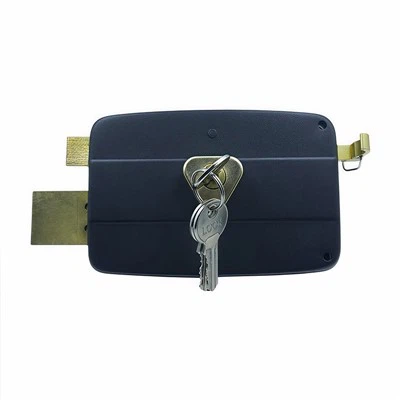
Troubleshooting issues with your smart house lock can be a real headache, but don't worry; I'm here to help! As a long - time supplier of House Locks, I've seen it all when it comes to smart lock problems. In this post, I'll share some tips on how you can identify and fix common issues with your smart house lock.
1. Check the Power Supply
The first thing you should do when your smart lock isn't working as it should is to check the power supply. Most smart locks are battery - operated, so a simple battery change could solve the problem. If the lock has a low - battery indicator, change the batteries right away. Use high - quality batteries, and make sure they're inserted correctly.
Sometimes, the battery contacts can be loose or dirty. You can gently clean the contacts with a dry cloth to remove any dirt or debris. If the lock is powered by a wired connection, check the cables to ensure they're not damaged or unplugged.
2. Connectivity Problems
If your smart lock is connected to your home Wi - Fi or Bluetooth, connectivity issues are a common culprit. For Wi - Fi - connected locks, make sure your router is working properly. You can try restarting your router by unplugging it for a few seconds and then plugging it back in.
Check if your smart lock is within the range of your Wi - Fi signal. If it's too far away, you might need to move the router or use a Wi - Fi extender. For Bluetooth - connected locks, make sure your device (like your smartphone) has Bluetooth enabled and is within the recommended range.
If you're still having connectivity problems, you may need to reset the lock's network settings. Refer to the lock's user manual for instructions on how to do this.
3. Keypad and Fingerprint Reader Issues
If the keypad on your smart lock isn't responding, it could be due to dirt or moisture. Clean the keypad gently with a soft, dry cloth. If the problem persists, there might be an internal issue with the keypad circuitry.
For fingerprint readers, make sure your fingers are clean and dry when you try to unlock the door. Oily or wet fingers can cause the reader to malfunction. If the fingerprint reader still doesn't work, you may need to re - enroll your fingerprints. Some locks allow you to enroll multiple fingerprints for different users, so make sure you're using the correct one.
4. Software and Firmware Updates
Just like your smartphone or computer, smart locks need software and firmware updates to function properly. Check if there are any available updates for your lock. You can usually do this through the lock's companion app.
Updating the software can fix bugs, improve performance, and add new features. Follow the instructions in the app to download and install the updates. Sometimes, an outdated software version can cause issues like slow response times or incorrect locking/unlocking.
5. Mechanical Jams
Even in the age of smart technology, mechanical problems can still occur. If your lock seems to be jammed, check if there's anything blocking the lock mechanism. For example, a piece of debris could be stuck in the lock's bolt or latch.
You can try lubricating the lock mechanism with a silicone - based lubricant. Be careful not to use too much, as excess lubricant can attract more dirt. If the problem persists, it might be a more serious mechanical issue, and you may need to contact the manufacturer for further assistance.
6. Compatibility Issues
Make sure that your smart lock is compatible with your door. Some locks are designed for specific door types, such as木门 (oh, sorry! I got carried away with my thought. Let's keep it all in English). For instance, a Self Locking Door Lock may have different installation requirements compared to a Side Door Lock.
Also, check if your lock is compatible with your home security system or other smart devices you want to integrate with it. Incompatibility can lead to issues like the lock not responding to commands from other devices.
7. Error Codes and Alerts
Many smart locks display error codes or send alerts when there's a problem. Refer to the lock's user manual to understand what each error code means. For example, a specific error code might indicate a communication problem with the server or a hardware malfunction.
If you receive an alert, follow the instructions provided. Sometimes, the solution could be as simple as restarting the lock or re - connecting it to your network.


8. Professional Help
If you've tried all the above steps and still can't solve the problem, it's time to seek professional help. You can contact the manufacturer's customer support. They have trained technicians who can guide you through more advanced troubleshooting steps or even arrange for a repair or replacement.
As a House Locks supplier, I understand that having a reliable smart lock is crucial for your home security. That's why we offer a wide range of high - quality locks, including Self Locking Door Lock, Side Door Lock, and Shed Lock.
If you're in the market for a new smart lock or want to discuss your current lock issues further, don't hesitate to reach out. We're here to help you find the perfect solution for your home. Whether you need advice on installation, troubleshooting, or just want to learn more about our products, we're just a message away.
References
- Smart Lock User Manuals
- Industry Blogs on Smart Home Security
- Manufacturer's Technical Documentation