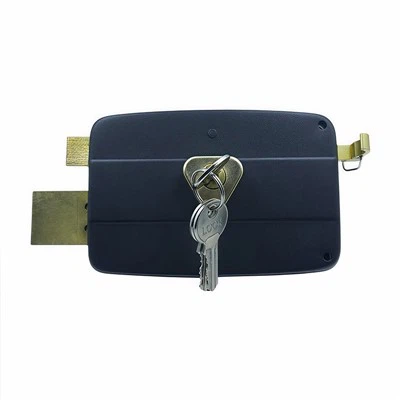
Setting up visitor access on a push pad door lock is a crucial aspect of modern security and convenience. As a leading supplier of push pad door locks, I've had the privilege of helping numerous customers navigate this process. In this blog, I'll share a comprehensive guide on how to set up visitor access on a push pad door lock, ensuring that you can manage access to your property efficiently and securely.
Understanding Push Pad Door Locks
Before diving into the setup process, it's essential to understand what push pad door locks are and how they work. Push pad door locks, also known as keypad door locks, are electronic locks that use a numeric keypad to grant access. Instead of traditional keys, users enter a pre - set code on the keypad to unlock the door. These locks offer several advantages, such as ease of use, flexibility in access management, and enhanced security.
Step 1: Choose the Right Push Pad Door Lock
The first step in setting up visitor access is to select the appropriate push pad door lock for your needs. Consider factors such as the type of door, the level of security required, and the number of users. For instance, if you have a heavy - duty commercial door, you'll need a more robust lock compared to a residential door.
As a supplier, I offer a wide range of push pad door locks, including Self Locking Door, Shed Lock, and Round Door Lock. Each lock is designed to meet different requirements, whether it's for a high - security office or a simple shed.
Step 2: Install the Push Pad Door Lock
Once you've chosen the right lock, the next step is installation. While it's possible to install the lock yourself if you're handy, I recommend hiring a professional locksmith for a proper and secure installation. A professional will ensure that the lock is installed correctly, minimizing the risk of malfunctions and security breaches.
During the installation, the locksmith will mount the push pad on the door and connect it to the locking mechanism. They'll also ensure that the lock is powered correctly, either through batteries or a wired connection.
Step 3: Program the Master Code
After the installation is complete, it's time to program the master code. The master code is the primary code that allows you to access the door and manage other codes. To program the master code, follow the instructions provided in the lock's user manual. Typically, you'll need to enter a special programming sequence on the keypad, followed by the desired master code.
Make sure to choose a strong and memorable master code. Avoid using obvious codes like birthdays or sequential numbers. Once the master code is set, test it to ensure that it unlocks the door correctly.
Step 4: Set Up Visitor Access Codes
Now comes the crucial part - setting up visitor access codes. There are several ways to do this, depending on the features of your push pad door lock.


Temporary Codes
One option is to create temporary codes for visitors. Temporary codes are valid for a specific period, such as a day, a week, or a month. This is ideal for guests, contractors, or service providers who only need access for a limited time.
To create a temporary code, enter the programming mode using the master code. Then, follow the instructions to set the start and end dates for the code, as well as the actual code itself. You can usually set multiple temporary codes at once, allowing you to manage access for multiple visitors.
One - Time Use Codes
Another option is to create one - time use codes. These codes can only be used once, which is great for situations where you want to provide access to a single entry. For example, if you're having a package delivered, you can give the delivery person a one - time use code to enter and drop off the package.
To set up a one - time use code, enter the programming mode and select the option for one - time codes. Enter the desired code, and it will be available for use until it's entered on the keypad.
Permanent Codes
If you have regular visitors, such as family members or roommates, you can set up permanent codes for them. Permanent codes are valid until you decide to change or delete them.
To create a permanent code, follow the programming instructions to add a new code. Assign a unique code to each regular visitor and keep a record of the codes for easy management.
Step 5: Manage and Monitor Access
Once you've set up visitor access codes, it's important to manage and monitor access to your property. Most push pad door locks come with features that allow you to view access logs, which show when the door was unlocked and which code was used.
Regularly review the access logs to ensure that there are no unauthorized entries. If you notice any suspicious activity, such as multiple failed attempts or access at unusual times, you can take appropriate action, such as changing the codes or contacting the authorities.
You can also use the access logs to track the usage of temporary and one - time use codes. If a code has expired or been used, you can delete it from the system to prevent further access.
Step 6: Provide Instructions to Visitors
Before giving visitors their access codes, make sure to provide them with clear instructions on how to use the codes. Explain how to enter the code on the keypad, any special requirements (such as pressing an enter or unlock button), and what to do if they have trouble.
You can also provide visitors with a backup option, such as a phone number they can call if they're unable to access the door. This ensures that they can still gain entry even if there are any issues with the code or the lock.
Step 7: Update and Maintain the System
Finally, it's important to update and maintain the push pad door lock system regularly. Check the batteries (if applicable) to ensure that they're not running low. Replace the batteries as needed to prevent the lock from malfunctioning.
Also, keep the keypad clean and free of debris. Over time, dirt and grime can build up on the keypad, affecting its performance. Use a soft, dry cloth to clean the keypad periodically.
If there are any software updates available for your push pad door lock, make sure to install them. Software updates often include security patches and new features that can enhance the performance and security of the lock.
Conclusion
Setting up visitor access on a push pad door lock is a straightforward process that offers numerous benefits in terms of security and convenience. By following the steps outlined in this guide, you can easily manage access to your property and provide visitors with a hassle - free entry experience.
As a push pad door lock supplier, I'm committed to providing high - quality products and excellent customer service. If you have any questions or need assistance with setting up visitor access on your push pad door lock, don't hesitate to reach out. We can discuss your specific needs and help you find the best solution for your property. Whether you're looking for a simple lock for your shed or a sophisticated system for a commercial building, we have the expertise and products to meet your requirements. Contact us today to start the conversation and take the first step towards better access management.
References
- Manufacturer's user manuals for push pad door locks
- Industry best practices for electronic door lock security