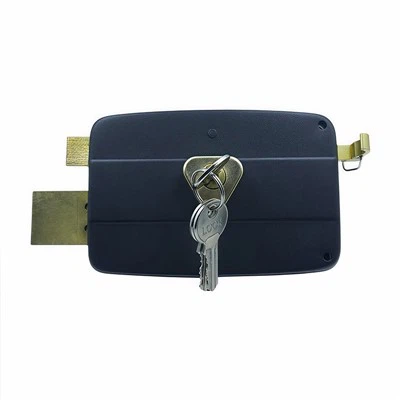
Hey there! As a supplier of push pad door locks, I often get asked about various features and how - to guides. One common question that comes up is "How to adjust the volume of the sound on a push pad door lock?" Today, I'm gonna walk you through this process step by step.
Why Adjust the Volume?
First off, you might be wondering why you'd even want to adjust the volume of your push pad door lock. Well, there are a few good reasons. Maybe you're in a quiet environment like a library or a bedroom, and the loud beep of the lock is too distracting. On the other hand, if you're in a noisy place like a factory or a construction site, you might need the sound to be louder so you can actually hear it.
Tools You'll Need
Before we start adjusting the volume, let's talk about what you'll need. Usually, you won't need any special tools. Most push pad door locks come with a built - in volume adjustment feature that can be accessed through the keypad or a menu system. In some cases, you might need a small screwdriver to open the lock's cover if the adjustment is done internally.
Different Types of Push Pad Door Locks
There are various types of push pad door locks in the market. For instance, the Storeroom Lock is often used for storage areas. It might have a different volume adjustment mechanism compared to the Self Locking Door Lock, which is great for areas where you want the door to lock automatically. And then there's the Push Door Lock, which is commonly used in commercial and residential settings.
Step - by - Step Volume Adjustment
Step 1: Access the Settings
The first thing you need to do is access the lock's settings. This is usually done by entering a specific code on the keypad. The code can be found in the lock's user manual. For most locks, you'll enter a master code or a special programming code. Once you've entered the correct code, the lock will enter the programming mode.
Step 2: Navigate to the Volume Setting
Once you're in the programming mode, you'll need to navigate to the volume setting. This can be a bit tricky as different locks have different menu systems. Some locks use arrow keys on the keypad to move up and down the menu, while others might use a combination of numbers. Look for an option like "Volume", "Sound Level", or something similar.
Step 3: Adjust the Volume
After you've found the volume setting, you can start adjusting it. Most locks have a range of volume levels, usually from low to high. You can use the up and down keys on the keypad to increase or decrease the volume. As you make the adjustments, the lock will usually beep to let you know the new volume level. Test the volume by entering a code on the keypad or by locking and unlocking the door.
Step 4: Save the Settings
Once you're happy with the volume level, you need to save the settings. This is usually done by pressing a "Save" or "Enter" key on the keypad. The lock will then beep to confirm that the settings have been saved.
Troubleshooting
Sometimes, you might run into issues when adjusting the volume. Here are some common problems and how to solve them:
Problem 1: Can't Enter the Programming Mode
If you can't enter the programming mode, double - check the code you're entering. Make sure you're using the correct master code or programming code. If you've forgotten the code, you might need to reset the lock. Refer to the user manual for instructions on how to reset the lock.
Problem 2: Can't Find the Volume Setting
If you're having trouble finding the volume setting, try looking through the user manual again. Some locks have a hidden or advanced menu that you need to access to find the volume setting. You can also try searching online for the specific model of your lock and look for volume adjustment guides.
Problem 3: The Volume Doesn't Change
If you've adjusted the volume setting but the sound level doesn't change, there might be a problem with the lock's speaker. Check if the speaker is properly connected and not damaged. If you're still having issues, it might be a good idea to contact the lock's manufacturer for further assistance.
Benefits of Having Adjustable Volume
Having an adjustable volume on your push pad door lock offers several benefits. It allows you to customize the lock's operation according to your environment. You can keep the volume low in quiet areas to avoid disturbing others, and increase it in noisy areas to ensure you can hear the lock's signals. It also adds an extra layer of security as you can set the volume high enough to alert you if someone is trying to tamper with the lock.


Conclusion
Adjusting the volume of a push pad door lock is not as complicated as it might seem. With a little patience and following the steps in the user manual, you can easily customize the sound level to suit your needs. As a push pad door lock supplier, I understand the importance of having a lock that works well in different environments. If you're in the market for a new push pad door lock or need more information about volume adjustment or any other features, don't hesitate to reach out for a chat. We're here to help you find the perfect lock for your needs and guide you through the setup process.
References
- Manufacturer's user manuals for push pad door locks
- Online resources and forums related to door lock technology